




Most AI applications work well. Until they need real context.
Let’s face it, we’ve moved a step ahead of LLMs. Businesses today need more than AI that just responds. They need AI that can act. And interact with systems, make decisions, and execute tasks.
Model Context Protocol (MCP) addresses this gap. It allows AI models like Claude to securely connect with tools, data, and workflows, turning them from passive assistants into active participants.
In this blog, we’ll explore what Model Context Protocol is, how it works, and how you can use it to build context-aware AI applications that deliver real outcomes.
What is Model Context Protocol (MCP)?
The Model Context Protocol is an open standard that enables Large Language Models to securely connect to external tools, data sources, and systems. Rather than limiting AI to its pre-trained knowledge, Model Context Protocol (MCP) gives models a structured way to retrieve live information and execute actions within your existing ecosystem.
It was introduced by Anthropic in late 2024, open-sourced under the MIT license, and has since been adopted as an industry standard by OpenAI and Google DeepMind. It is not a Claude-specific protocol but rather a vendor-neutral standard, meaning any MCP-compatible model can connect to any MCP server you build.
Model Context Protocol gives the AI a secure, structured “toolkit” so it can interact with your systems. Now, instead of just advising, it can actually complete tasks using the tools you provide.
How MCP Works in AI?
Understanding Model Context Protocol becomes much easier when you look at how it operates in a real interaction. MCP has a clean three-layer architecture that maps closely to how your team already thinks about systems.
Host: The AI application your users interact with. This could be Claude Desktop, your internal copilot, an IDE plugin, or a custom app you’re building. The host owns the user session and manages the interface.
Client: It’s the translation layer that speaks the MCP protocol, discovers what servers are available, and routes the model’s requests to the right tool.
Server: An MCP server is a lightweight service that wraps your data source or tool and exposes it to any MCP-compatible model. One server, usable by any host.
The communication between client and server travels over JSON-RPC in a stateful session. This means that the model can make multiple sequential calls within a single interaction without losing context. This is what enables multi-step reasoning.
For example, say a user asks your AI assistant: “Pull last week’s support tickets from Zendesk and summarize the most common issues.”
Here’s what happens:
- The host receives the request and passes it to the LLM
- The LLM, aware of available tools, identifies that a get_tickets tool is available
- It requests a call to the get_tickets tool with a date filter. The client executes this against the Zendesk MCP server
- The server queries Zendesk and returns structured ticket data
- The LLM summarizes the results and returns the response to the user
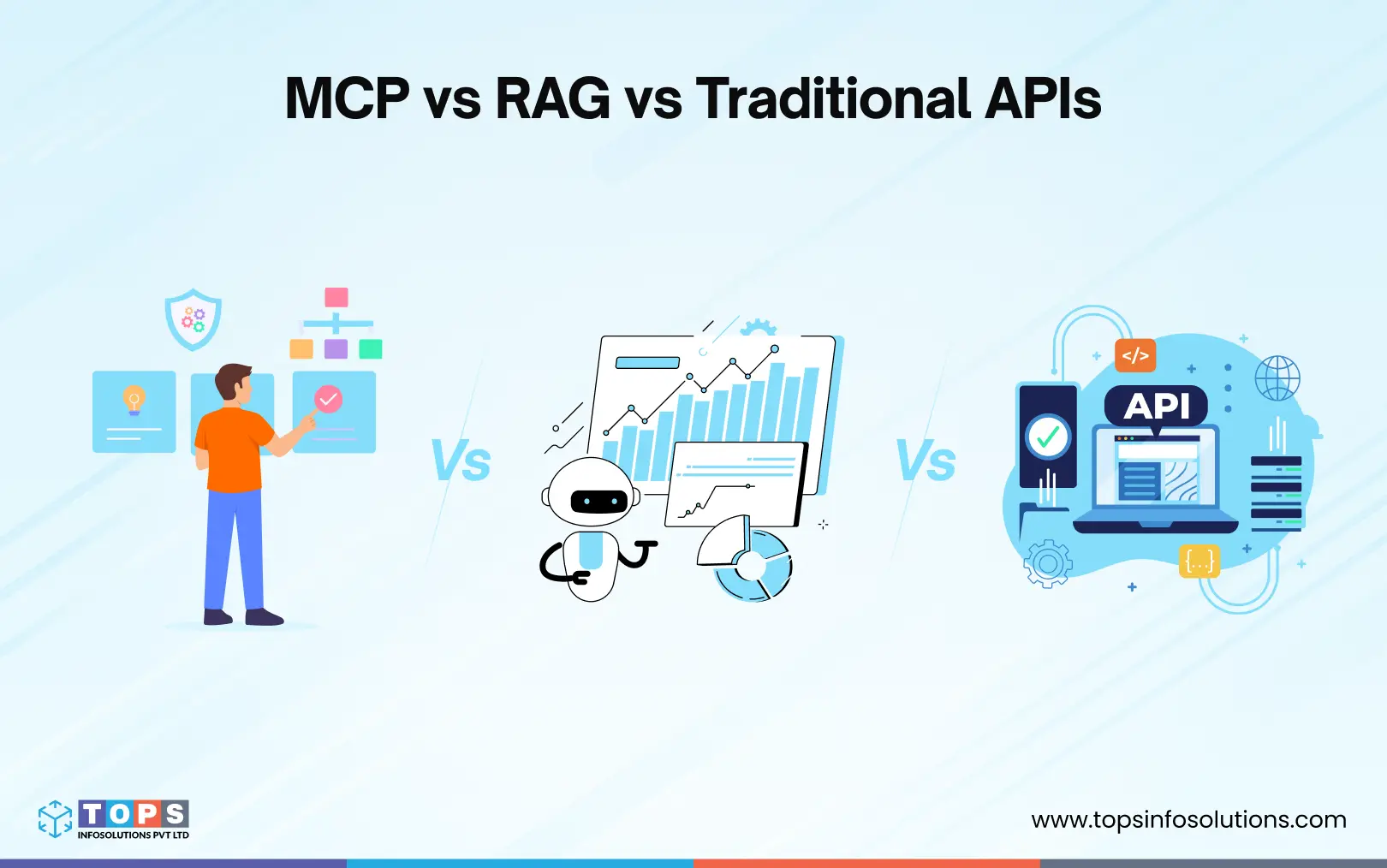
MCP vs RAG vs Traditional APIs
Before building with MCP, it helps to understand where it fits relative to tools your team already uses. This specifically includes RAG and traditional APIs, which solve adjacent but different problems.
MCP vs RAG (Retrieval-Augmented Generation)
RAG as a service is meant to improve AI responses by fetching relevant information from a knowledge base. It works well when the goal is to retrieve and present information.
However, it stops there.
- RAG can pull the latest document
- It can summarize customer history
- But it cannot take action on that information
MCP goes a step further.
- It not only retrieves data but can also interact with systems
- It enables AI to trigger workflows, update records, or execute task
MCP vs Traditional APIs
APIs have been the backbone of system integrations for years. They allow applications to communicate and exchange data.
But they come with a limitation in the AI context.
- APIs require developers to define when and how they are used
- The logic for calling APIs is hardcoded into the application
MCP changes this dynamic.
- It exposes APIs as “tools” in a structured format
- The AI itself decides when to use which tool based on the user’s request
This reduces the need for rigid workflows and enables more flexible, intelligent interactions.
What Businesses Gain with MCP
MCP enables AI to move beyond static responses and become an active part of your business workflows. Connecting models to real systems brings measurable improvements across operations.
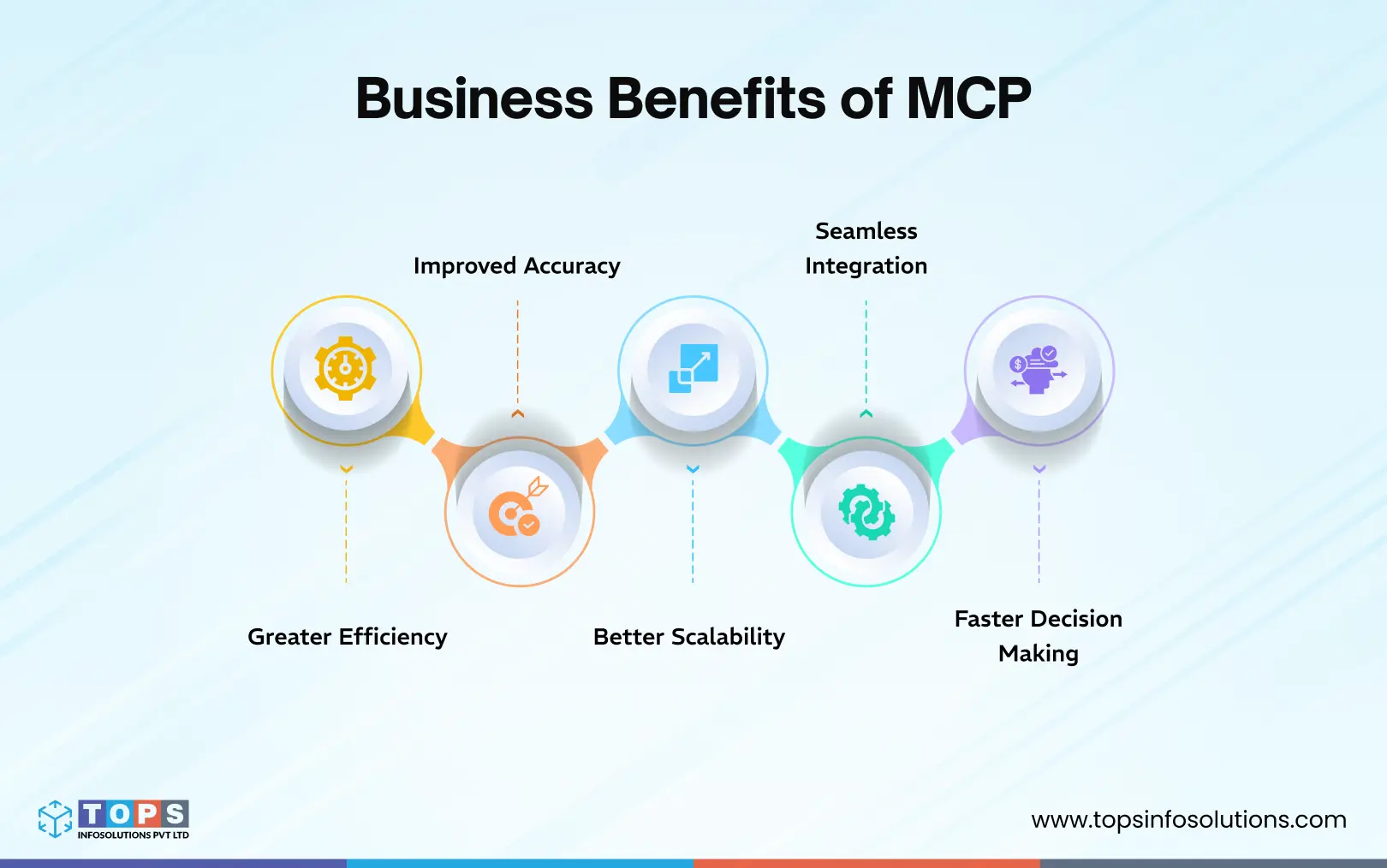
Greater efficiency
Because MCP gives the model direct access to your tools, multi-step workflows that previously required manual handoffs (pulling data, summarizing, filing a ticket, notifying a team) can be completed in a single session with no human in the middle.
Improved accuracy
One of the biggest benefits of MCP-Based AI Applications is that it provides context-aware responses that reduce errors and eliminate guesswork. The model reasons over live, structured data from your actual systems rather than relying on static training knowledge.
Better scalability
You can add new tools and systems without rebuilding the entire application. Because MCP decouples tools from models, adding a new system means writing one new MCP server and not re-engineering your entire integration layer. Your existing servers are unaffected and immediately usable by any MCP-compatible model you adopt in the future.
Seamless integration
MCP servers wrap your existing APIs and data sources without requiring changes to the underlying systems. Your CRM, database, and internal tools stay exactly as they are.
Faster decision-making
Instead of waiting for a human to pull a report, synthesize it, and act on it, MCP-powered apps can query live data, reason over it, and trigger the appropriate action, all within the time it takes to type a request.
How to Build Context-Aware AI Apps Using MCP Claude
Building a context-aware AI application with MCP and Claude is primarily about structuring appropriate access to your systems. You’ll need working knowledge of Python or TypeScript/JavaScript and familiarity with LLMs like Claude.
Here’s a practical step-by-step approach:
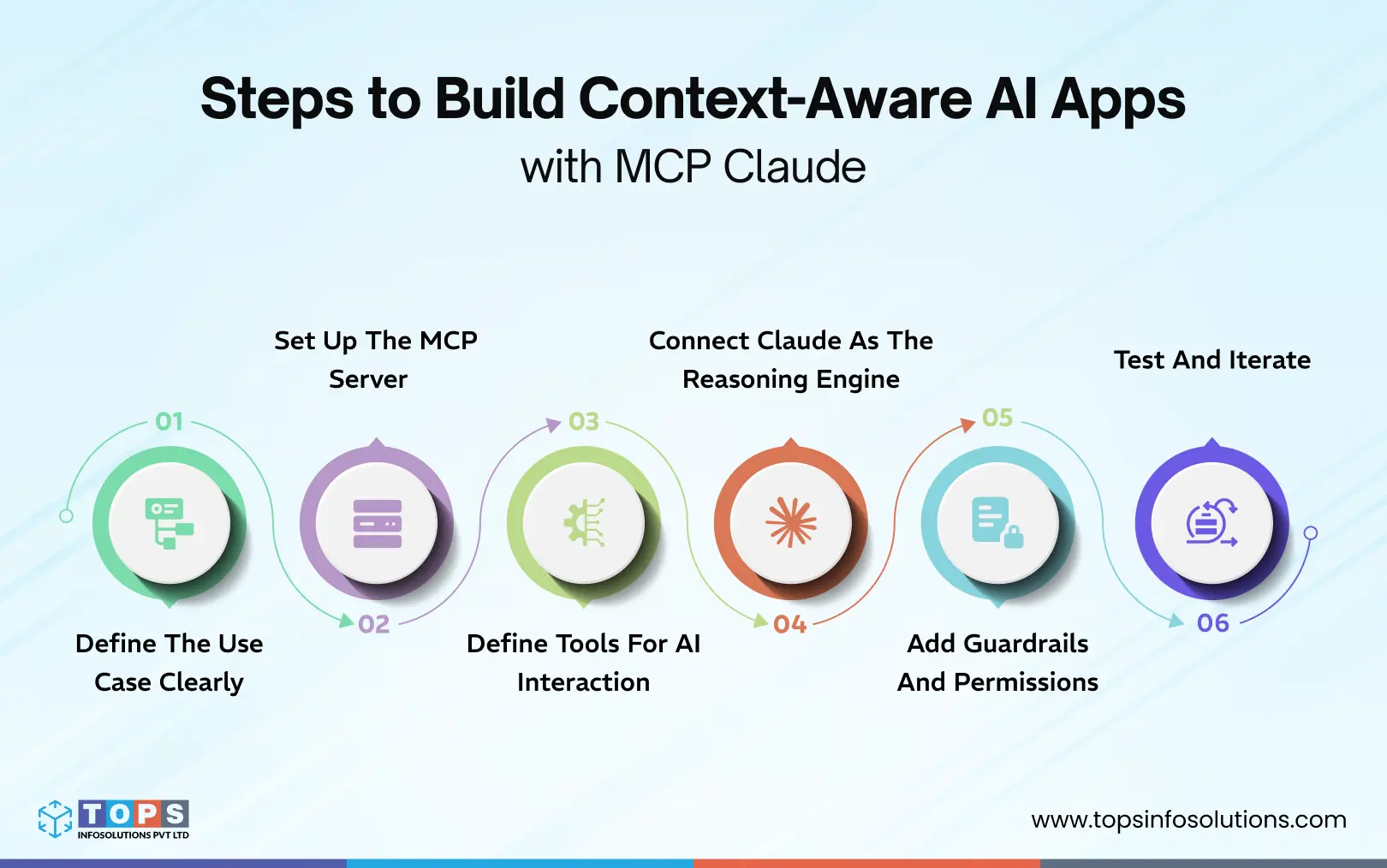
Step 1: Define the Use Case Clearly
Start with a focused problem instead of a broad idea.
For example:
- Automating customer support queries
- Creating an internal AI assistant for teams
- Streamlining approval workflows
Clarity here determines what tools and data your AI will need.
Step 2: Set Up the MCP Server
The MCP server acts as the interface between Claude and your systems. MCP has official SDKs for Python and TypeScript.
At this stage, you:
- Expose your tools in a standardized format
- Define what actions are possible (read, write, trigger workflows)
- Ensure each tool has a clear input and output structure
At minimum, your MCP server setup should define the transport method (stdio for local development, HTTP for production), your server name and version, and the authentication mechanism for any external systems it connects to.
Step 3: Define Tools for AI Interaction
Each tool represents a specific function the AI can perform.
Examples:
- Fetch customer details
- Update a support ticket
- Trigger an email notification
The more clearly these tools are defined, the better Claude can decide when to use them.
Step 4: Connect Claude as the Reasoning Engine
In production, your app will connect to multiple MCP servers simultaneously, each wrapping a different system. The MCP client handles discovery automatically: before the model starts reasoning, it receives a consolidated list of all available tools across all connected servers.
Now, integrate Claude with your MCP server.
At this point:
- Claude interprets user queries
- Decides which tools are needed
- Calls those tools through MCP
This is where your application becomes truly context-aware. Your app acts as the MCP client. It discovers the available tools and passes them to the model along with the user’s message. At each iteration, the model calls a tool → your app executes it → the result goes back as context → the model decides its next move.
Step 5: Add Guardrails and Permissions
MCP gives the model real access to real systems. Guardrails are not optional. They’re what separate a prototype from something you can actually ship.
Validate inputs before execution. Don’t trust the model’s generated SQL or API parameters blindly. Add a validation layer in your tool handler:
To ensure safe and reliable execution:
- Add a human-in-the-loop for tools that send messages, create records, or modify data, which require explicit confirmation before executing.
- Scope tools per session. Don’t give every session access to every tool. Pass only the tools relevant to the current user’s role or workflow
- Log all tool calls. Every tool execution should be logged with the inputs, outputs, user, and timestamp. This is your audit trail and your primary debugging surface.
Step 6: Test and Iterate
MCP apps behave differently from regular API integrations because the model is making decisions, and those decisions depend on how well your tool descriptions are written, how your tools handle edge cases, and how the model reasons under ambiguous inputs. Some of the steps you should take to test the MCP are:
- Test tool selection first: Verify that the model picks the right tool for a given request. Give it prompts designed to be ambiguous and check whether it selects correctly.
- Test tool descriptions, not just code: If the model consistently misuses a tool, the first thing to change is the description, not the handler. Rewrite it to be more explicit about when the tool should and shouldn’t be used.
- Test failure handling: What happens when the database is unreachable? When the GitHub API returns a 403? Your handlers should return clear error messages that the model can reason over and report back, rather than throwing unhandled exceptions.
- Iterate on scope: Start with the minimum set of tools your use case actually needs. Add more only once the core workflow is stable. More tools mean more surface area for the model to make unexpected decisions.
Quick note: If you’re evaluating MCP for your stack, resist the urge to connect everything at once. Start with one internal tool, one focused use case, and one MCP server. Get the reasoning loop working reliably, validate your tool descriptions against real user prompts, and add guardrails before you expand scope.
Security and Governance for Enterprise Deployments
Enterprise deployments need a second layer of guardrails that include governance policies that operate across your entire MCP infrastructure.
Access control
Define role-based permissions at the server level, not just the session level. A customer support agent’s MCP session should never have access to the same tools as an engineer’s.
Audit trails
Log every tool call across all sessions with inputs, outputs, user identity, and timestamp. This is your compliance surface and your first line of incident response.
Data boundaries
Define explicitly which data sources each MCP server can access. Sensitive systems (payroll, legal, PII) should be isolated behind servers with stricter authentication requirements.
Change management
Treat tool descriptions and server configurations as versioned artifacts, not config files. A change to a tool description changes model behavior that warrants the same review process as a code change.
Build your MCP Application With Claude
MCP marks a shift in how AI applications are built and used. Instead of working in isolation, AI can now interact with real systems, access live data, and execute tasks with context. This opens up new possibilities for businesses looking to move beyond basic automation and build AI apps with Claude.
However, building MCP-based applications requires more than just connecting tools. It requires technical prowess in Python and building applied AI solutions. It involves structuring data, defining clear actions, and ensuring secure, scalable integrations.
If you’re exploring how to build context-aware AI applications tailored to your workflows, TOPS is the perfect place to start that conversation.