


































Quick Summary
Most content on building an MCP server for AI agent integration stops at a toy example: a weather API, a to-do list, a demo that never touches real authentication or real data. This post walks through two production builds, one for a multichannel commerce SaaS platform and one for GitLab, and what it actually took to get each one past a security review instead of just past a demo.
-
- MCP standardizes how an agent calls a tool. It does not standardize authentication, permission scoping, or audit logging, and that gap is where the real engineering work happens.
- A production MCP server against a live, stateful platform looks nothing like a tutorial server built against a toy API.
- MCP and A2A solve different problems at different layers. Knowing where one ends and the other begins matters more than picking a side.
- Security, not the wire-up, is what separates an MCP server that ships from one that stays in a sandbox.
AI agents are becoming a normal way to interact with software. Platform teams keep fielding a version of the same request: connect or develop this AI agent to our platform.
That’s because a customer either wants to connect their AI assistant. Or a partner wants its own agent to pull data from a platform. An internal team wants to automate a workflow. Each request looks like a separate integration: one connector for Claude, another for an internal agent, another for a partner’s system, each with its own auth flow and maintenance burden. The first integration is manageable. The fifth is a platform engineering problem.
That’s where MCP server integration comes in: instead of a bespoke connector per agent, a platform exposes selected capabilities through one MCP server any compatible agent can call.
TOPS has built MCP servers in two very different environments: a multichannel commerce SaaS platform and GitLab. Here’s what we learned.
1. The Problem with Agent Access Before MCP
Before MCP, agent-to-platform integrations were usually custom-built.
Imagine a platform with three integration requests:
- A customer wants to use Claude with their account data.
- An internal team wants to connect a LangChain agent.
- A partner wants its own AI agent to automate platform workflows.
Technically, these can all be solved.
The problem is maintaining them.
Every connector creates another contract
A custom integration often introduces its own:
- Authentication flow
- API mapping
- Data format
- Permission model
- Error handling
- Monitoring
- Maintenance requirements
That means a change to the underlying platform API can require updates across several integrations.
The engineering team isn’t just maintaining the platform anymore. It is maintaining every agent-specific connection to the platform.
The problem gets worse as agents multiply
The goal isn’t to prevent integrations.
The goal is to avoid rebuilding the same integration pattern every time another agent appears.
2. What MCP Standardizes (and What It Doesn’t)
If you’re wondering what MCP is, understand that it uses a client-server architecture.
An AI application or agent acts as the MCP client. The MCP server sits between that client and the systems or data the agent needs to access.
At a high level, MCP provides three core primitives.
| Primitive | Purpose | Example |
|---|---|---|
| Tools | Let an agent perform an action | Create a support ticket |
| Resources | Give an agent access to structured information | Retrieve account or catalog data |
| Prompts | Provide reusable prompt templates or workflows | Summarize account activity |
This creates a common interface between the agent and the platform.
But there is an important distinction.
What MCP solves
MCP standardizes the interaction pattern between a client and server.
It gives compatible agents a consistent way to discover and interact with exposed capabilities.
What MCP does not decide
MCP doesn’t decide authorization: who can use a tool, whose data they reach, or what’s logged. It gives you the connection pattern; these decisions stay with the implementation:
- Who is allowed to use a tool
- Which customer’s data an agent can access
- Whether a tool should be read-only
- What happens when an agent attempts a destructive action
- How tool calls are logged
- How the server is isolated from other systems
This is one of the biggest differences between a tutorial MCP server and a production MCP server.
A demo might expose a function like: get_weather(city)
A production platform has to answer:
- Which user requested the data?
- Which account can that user access?
- What permissions does the agent have?
- Was the request read-only?
- What data did the tool return?
- Can we reconstruct the action later?
Your engineering architecture still has to provide those controls.
3. Model Context Protocol, A2A and ACP: Understanding Their Roles
MCP and A2A are often discussed together because both support interoperability across the agent ecosystem, but they address different needs.
MCP focuses primarily on connecting agents with tools and external data sources. An agent uses MCP to interact with a platform, API, database, or other capability exposed through an MCP server.
A2A is agent-to-agent. It’s designed for communication and task coordination between independently built agents.
A simplified way to think about the distinction:
MCP: Agent → Tool / Platform
A2A: Agent → Agent
IBM’s Agent Communication Protocol, or ACP, covers similar ground to A2A with a lighter-weight, REST-native approach. However, its status as a standalone specification is less settled than that of MCP or A2A.
At the same time, these protocols can work together. An agent could use MCP to retrieve information or perform an action within a platform, while A2A coordinates a larger workflow involving another agent managed by a different team or organization.
The important point: choosing MCP doesn’t mean replacing every other interoperability layer. These protocols can operate at different parts of the same architecture. Connecting agents to the systems that already hold your data is the least update and most decisive part of AI integration services.
4. Building an MCP Server for a SaaS Platform
Our first implementation connected AI agents to a live multichannel commerce SaaS platform. The client is an e-commerce platform that streamlines marketplace integrations.
This was not a clean demo environment. The platform already had:
- A mature REST API
- Existing customer authentication
- Multiple business workflows
- Production data
- Existing permission rules
- Years of edge cases
That changed how we approached the MCP server.
The question wasn’t simply:
“Can we expose the API through MCP?”
It was:
“Which parts of the API should an agent actually be allowed to use?”
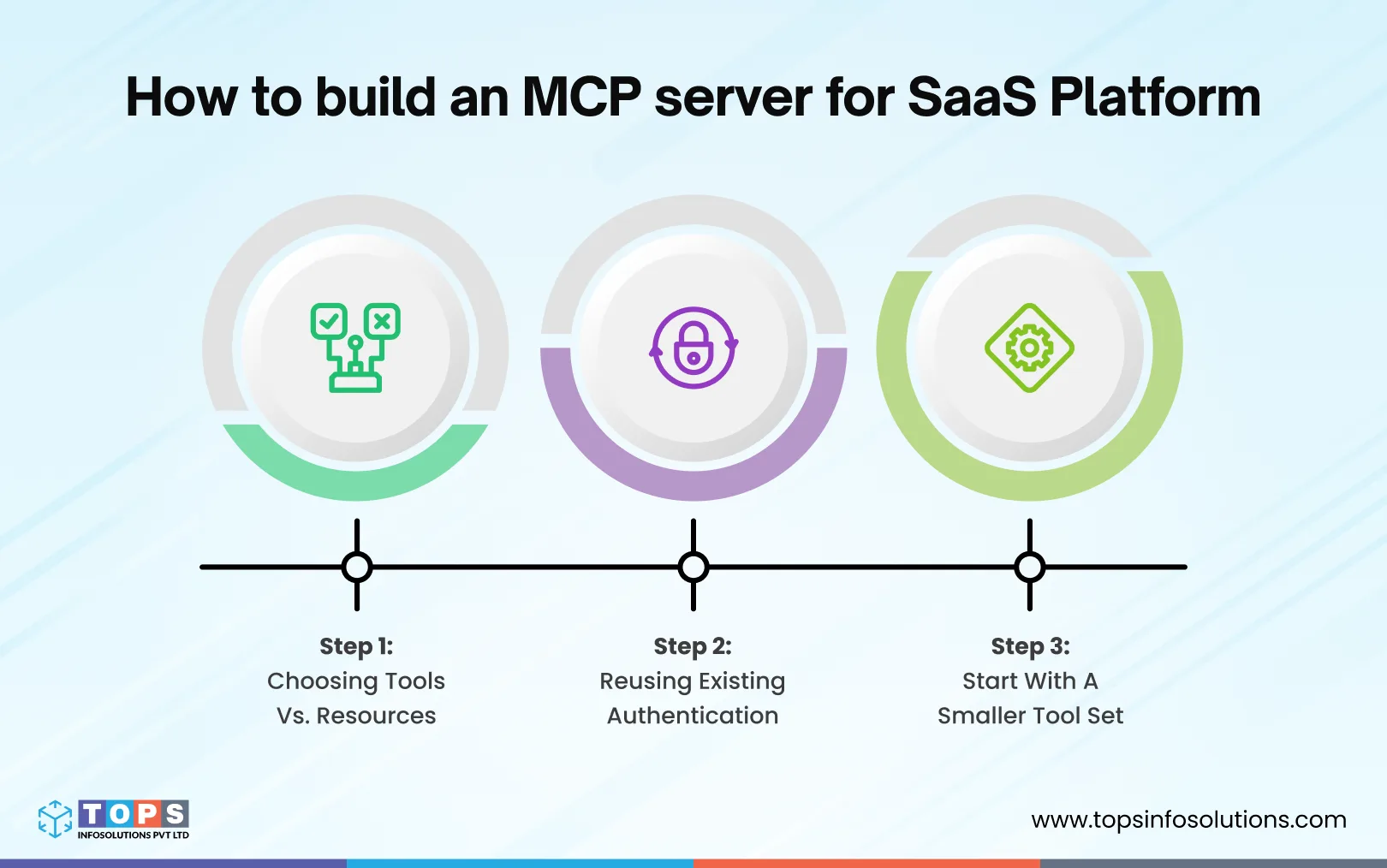
Step 1: Choosing Tools vs. Resources
The first architectural decision was deciding what should become an MCP tool and what should remain a resource.
For example:
Tools
Actions that an agent needs to initiate.
- Look up an order
- Check inventory
- Create a support ticket
- Update an order
- Trigger a workflow
Resources
Information an agent needs to reference.
- Product catalog data
- Account information
- Shipment status
- Configuration data
The distinction matters because tools can carry operational consequences.
For example, a platform that exposes everything as a tool can unintentionally give an agent far more authority than it needs.
Conversely, exposing everything as a resource can leave the agent with plenty of information but no practical way to complete the intended workflow.
Ultimately, the right boundary depends on what the agent actually needs to accomplish.
Key lesson: MCP makes it easy to expose capabilities. That doesn’t mean every capability should be exposed.
Step 2: Reusing Existing Authentication
The platform already had an authentication system.
We did not want to create a second credential system simply for MCP.
Instead, the implementation reused the platform’s existing authentication model and carried user identity through the MCP request.
Each connection used a scoped credential associated with a specific identity rather than relying on a shared service account.
That distinction becomes important when something goes wrong.
If an agent updates an order, the platform should be able to answer:
Which user initiated the request?
Not:
Which MCP server account made the request?
Per-request identity also makes permission enforcement and audit logging much more meaningful.
Step 3: Starting With a Smaller Tool Set
The platform had a large API surface.
Technically, we could have exposed a much larger portion of it through MCP.
We deliberately didn’t. The initial tool set focused heavily on read operations.
That allowed us to validate:
- Tool discovery
- Authentication
- Data retrieval
- Error handling
- Agent behavior
- Logging
- Permission boundaries
Once that path was stable, additional capabilities could be introduced incrementally.
Write operations received more scrutiny, particularly anything that could modify orders, inventory, or other business-critical data.
This approach made the MCP server useful without immediately turning it into a high-privilege interface to the entire platform.
5. Building an MCP Server for a Client’s GitHub Workflow
The second implementation involved a very different environment: a client whose product integrates deeply with software development workflows, connecting their platform’s AI agents to GitHub.
GitHub provides a useful example because developer platforms contain both highly valuable information and highly sensitive actions.
An agent may need to:
- Search issues
- Retrieve pull request information
- Check workflow/CI status
- Search repository data
- Review development activity
- Create or update issues
- Trigger certain workflows
Different System, Different Security Concerns
The commerce platform required careful control around customer and operational data. The GitHub integration introduced another category of concern: destructive actions.
For example:
- Changing an issue
- Modifying a pull request
- Triggering a workflow run
- Affecting a production branch
- Performing another action with operational consequences
The MCP server therefore needed to consider more than whether an action was technically possible. It needed to consider the potential impact of that action. This is where permission design becomes especially important.
Why Read-Only Access Helped
One of the most useful lessons from this implementation was the value of treating read-only access as a deliberate deployment stage.
Instead of giving an agent write access immediately, teams can begin with capabilities such as:
- Search
- Retrieve
- Summarize
- Inspect
- Monitor
This creates a safer environment for evaluating agent behavior. Once the team understands how the agent selects tools, interprets returned information, and handles edge cases, write capabilities can be introduced selectively. That is much easier to manage than discovering an agent’s behavioral quirks after it already has permission to modify production data.
Key lesson: Agent permissions should reflect the risk of the action, not simply the functionality of the underlying API.
6. Making an MCP Server Production-Ready
Building an MCP server that responds correctly is one problem.
Building one that can pass a serious security review is another.
Across both implementations, four areas required particular attention.
Authentication and Authorization
Every request should be associated with a specific identity.
Shared API keys or service accounts make this difficult because multiple users or agents can appear as the same caller.
A production implementation should establish:
- Who is making the request
- Which application or agent is making it
- Which account or tenant they belong to
- What permissions they currently have
OAuth 2.0 and OIDC can be part of this architecture, depending on the existing platform.
The important principle is simple:
Do not lose user identity at the MCP layer.
Permission Scoping
An agent should have access to the smallest set of capabilities required for its task.
Consider a support workflow.
The agent may need to:
- Read an order
- Check shipment status
- Create a support ticket
It probably does not need unrestricted access to:
- Customer billing
- Inventory configuration
- User administration
- Financial records
Least-privilege design reduces the potential impact of an incorrect tool call or compromised agent.
Permission boundaries should therefore exist at the tool level and, where appropriate, at the data level.
Audit Logging
Agent actions need to be traceable.
For every important tool call, the system should be able to reconstruct:
- Who initiated the request
- Which tool was called
- What parameters were supplied
- When it happened
- What the tool returned
- What system or workflow was affected
Correlation IDs can connect individual tool calls back to a larger agent request.
This becomes particularly important when investigating unexpected behavior.
An agent may execute several tools in sequence before producing its final response. Without proper logging, understanding that sequence can be difficult.
Network and Server Isolation
The MCP server should have access only to the systems it actually needs.
That means thinking carefully about:
- Filesystem access
- Internal network access
- Credentials
- Database access
- Service-to-service permissions
- Runtime isolation
An MCP server should not become an unintended bridge into unrelated internal systems.
If the server is compromised or misconfigured, isolation limits how far that problem can spread.
7. Common MCP Implementation Mistakes
A few mistakes showed up repeatedly, both in these builds and across the broader pattern of early MCP deployments industry-wide.
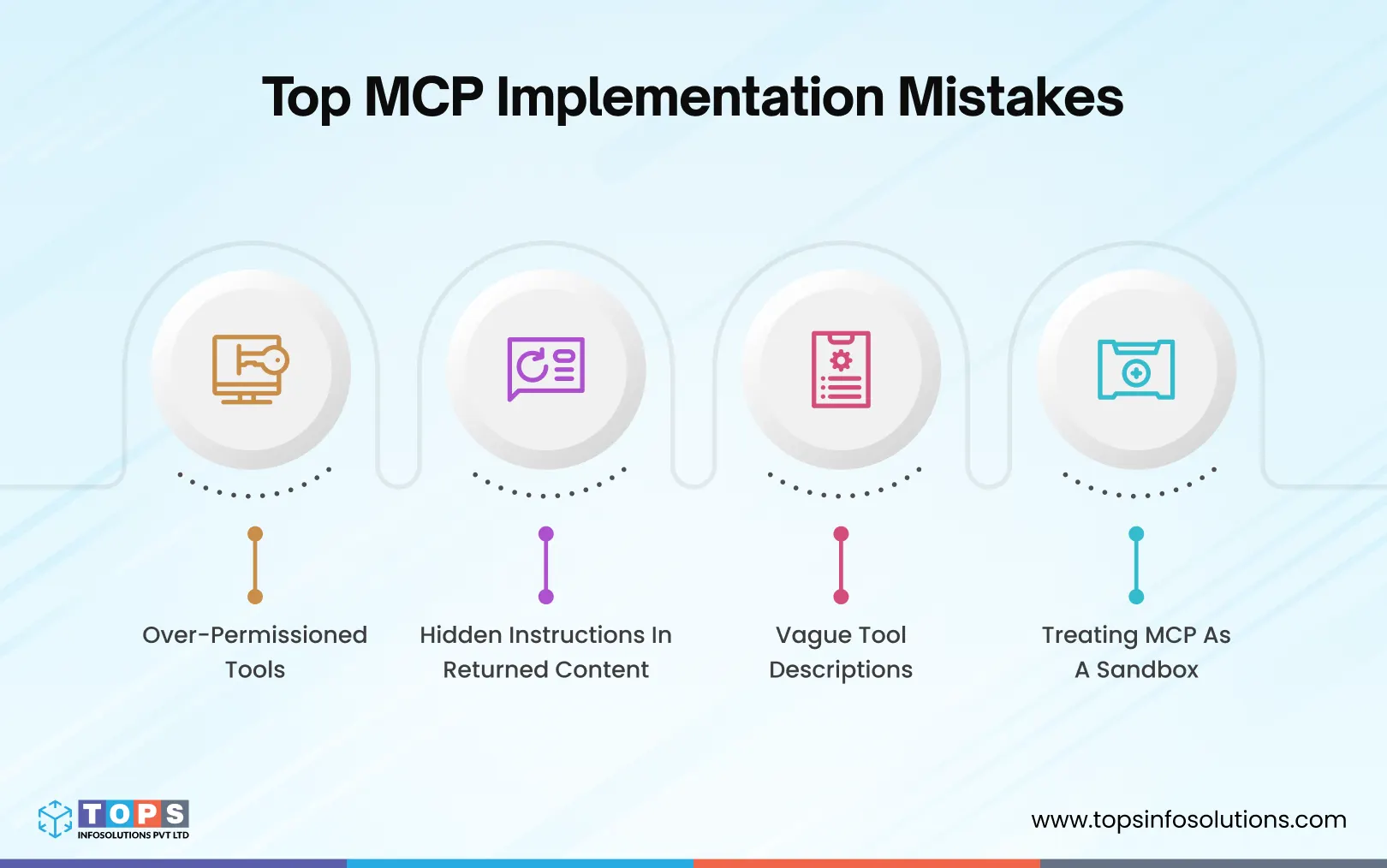
Over-permissioned tools
Granting a tool broader read or write access than the task requires “to save time” is the single most common shortcut, and the one that turns a minor bug into a serious incident.
Prompt injection through untrusted content
A tool doesn’t just return data; it returns data the model reads as part of the conversation. If a returned field, like a customer note or an issue description, contains text written to look like an instruction, an agent can’t always tell it apart from a legitimate command.
This isn’t theoretical. Research from April 2026 demonstrated exactly this against coding agents, including Claude Code, Gemini CLI, and GitHub Copilot: malicious instructions hidden inside GitHub pull request titles. The same risk applies anywhere an agent reads content it didn’t write, including an issue or pull request description in a client’s GitHub integration. Sanitize what a tool returns before it reaches the model.
Vague tool descriptions
The agent picks which tool to call based on its description. A vague or overlapping description means the agent guesses wrong, calls the wrong tool, and returns the wrong result, often without any error to flag the mistake.
Descriptions are a security surface too. The model reads the full description on every call, even though the user never sees it, so hidden instructions planted there fire silently every time the tool is used. Review descriptions from any external or less-trusted source with that in mind.
Treating MCP as a sandbox
MCP is a protocol, not a security boundary. It defines how a conversation between agent and server is structured. It does not limit what a poorly scoped server is capable of doing once that conversation starts.
Final Thoughts
Making a platform agent-ready isn’t a single integration decision anymore. As AI agents become more common, supporting agent-based access is becoming a baseline requirement for platforms whose customers or partners need to interact with them without relying on a traditional login screen. For teams handling this well typically treat authentication, access scoping, and audit logging as day-one requirements rather than adding them later. As an agentic AI development company, TOPS has seen that pattern hold across every build.
Frequently Asked Questions (FAQs)
MCP standardizes how a single agent connects to tools and data it needs to do its job. A2A standardizes how two independently owned agents coordinate with each other across a trust boundary. Most platforms need MCP first, since that’s what makes the platform usable by any agent at all. A2A becomes relevant once a workflow requires handing off work to an agent your team doesn’t control, built by a different vendor or a different internal team.
A working demo against a handful of tools can happen in days. Getting to production-ready, with real authentication, scoped permissions, and audit logging built in, typically takes several weeks depending on how complex the underlying platform’s data model and existing auth system already are. Platforms with a mature, well-documented API move faster than platforms where the API itself needs cleanup first.
In most cases, yes. An MCP server acts as a translation layer in front of existing APIs rather than requiring those APIs to be rebuilt. The work is in deciding which endpoints become tools, which become resources, and wrapping the existing auth model so it maps cleanly onto per-request identity, not in re-architecting the underlying platform.
Scope destructive actions, deletions, financial transactions, production deployments, behind explicit checkpoints rather than exposing them as freely callable tools. Read-only mode as a default, with write access added deliberately and incrementally, is the pattern that held up best across both builds described here.
MCP is model-agnostic by design. Anthropic created the protocol, but it’s since been adopted broadly across the ecosystem, including other major AI providers and agent frameworks. An MCP server built correctly works with any MCP-compatible client, not just one vendor’s tools.
At minimum: per-request identity instead of shared credentials, scoped permissions on every tool rather than broad default access, audit logging tied to identity for every tool call, network and filesystem isolation for the server itself, and sanitization of any content an agent will read before it reaches the model. A server missing any of these should be treated as pre-production, regardless of how well it performs in a demo.
No. Start with the smallest useful set of tools that solves a specific problem, not the most complete surface available. A support-ticket tool doesn’t need access to the billing system just because both live behind the same platform. Expanding tool coverage after the initial set proves stable is a safer path than exposing everything at once.
Treat MCP tool definitions with the same discipline as any public API contract: version deliberately, avoid silently changing a tool’s input or output shape, and give connected agents a way to detect when a tool’s behavior has changed. Platforms that already version their REST APIs can typically extend that same discipline to their MCP tool surface without much extra process.