






























Quick Summary
-
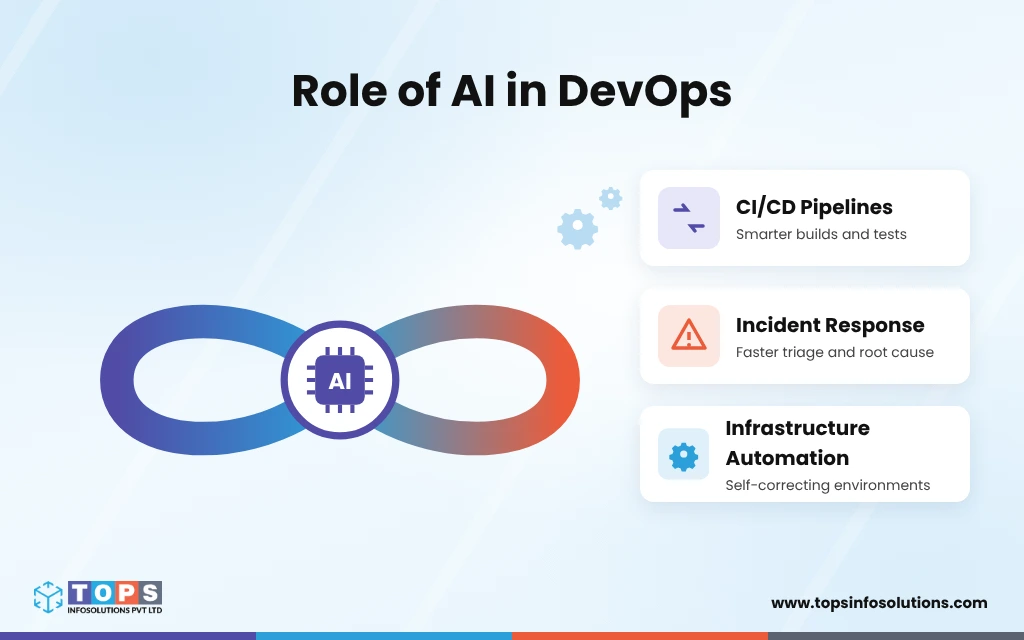
- AI in DevOps multiplies what is already there: strong pipelines get better, noisy ones get noisier.
- In CI/CD, AI flags and ranks, while deterministic checks still decide pass or fail.
- In incidents, AI speeds up triage and root cause hints, and people approve the actions.
- Agentic SRE tools can investigate and propose fixes, so limit what they can touch.
- For infrastructure, match autonomy to blast radius and keep rollback ready.
- Start with read-only use cases, add approval tiers, and measure results before expanding.
- A TOPS cost agent cut a client’s AWS bill by about 53%, with people deciding.
The release pipeline keeps getting faster. And AI is part of the reason.
But is AI in DevOps making releases reliable? That’s a separate question.
AI tends to multiply whatever it is added to: a well-tested pipeline gets better, while a noisy, fragile one gets noisier. In practice, that noise shows up as alerts nobody trusts, flaky tests people rerun instead of fix, and changes nobody can explain afterward.
So the practical question is where AI helps your team without adding risk or extra maintenance. The answer differs across CI/CD, incident response, and infrastructure automation, and it depends on who keeps the final call. This blog walks through what works in each area, where AI adds real value in DevOps services, and where human oversight still matters.
How Is AI in DevOps Different From Traditional Automation?
Traditional DevOps automation does exactly what it is told. AI adds judgment on top of that, which is useful, and it is also where new risks come from.
Rule-Based Automation vs. AI-Assisted Decisions
The major difference between rule-based automation and AI in DevOps is that a rule-based script follows fixed logic: if CPU stays above 90% for five minutes, scale out. It is predictable and easy to audit, but it only handles situations someone planned for.
AI-assisted automation learns from your own history, such as build logs, past incidents, and deployment records. Flaky test detection is a good example, because it analyzes patterns across many CI runs instead of reacting to one failure. The trade-off is that AI output is a probability, not a guarantee, so it needs checks around it. Developers already feel this: in Google’s 2025 DORA research, 30% said they trust AI output only a little or not at all, while 24% trust it a lot or a great deal.
AIOps vs. Agentic AI
AIOps tools mainly spot patterns and group related alerts, so engineers see fewer, better-organized signals. Agentic AI goes further. AI agents for DevOps can investigate an issue, propose a fix, and sometimes act on it. Generative AI sits alongside both, drafting scripts, configs, and runbooks for people to review.
That extra reach is why agentic tools need clear limits on what they can touch, a theme the infrastructure section returns to.
Where Does AI Help in CI/CD Pipelines?
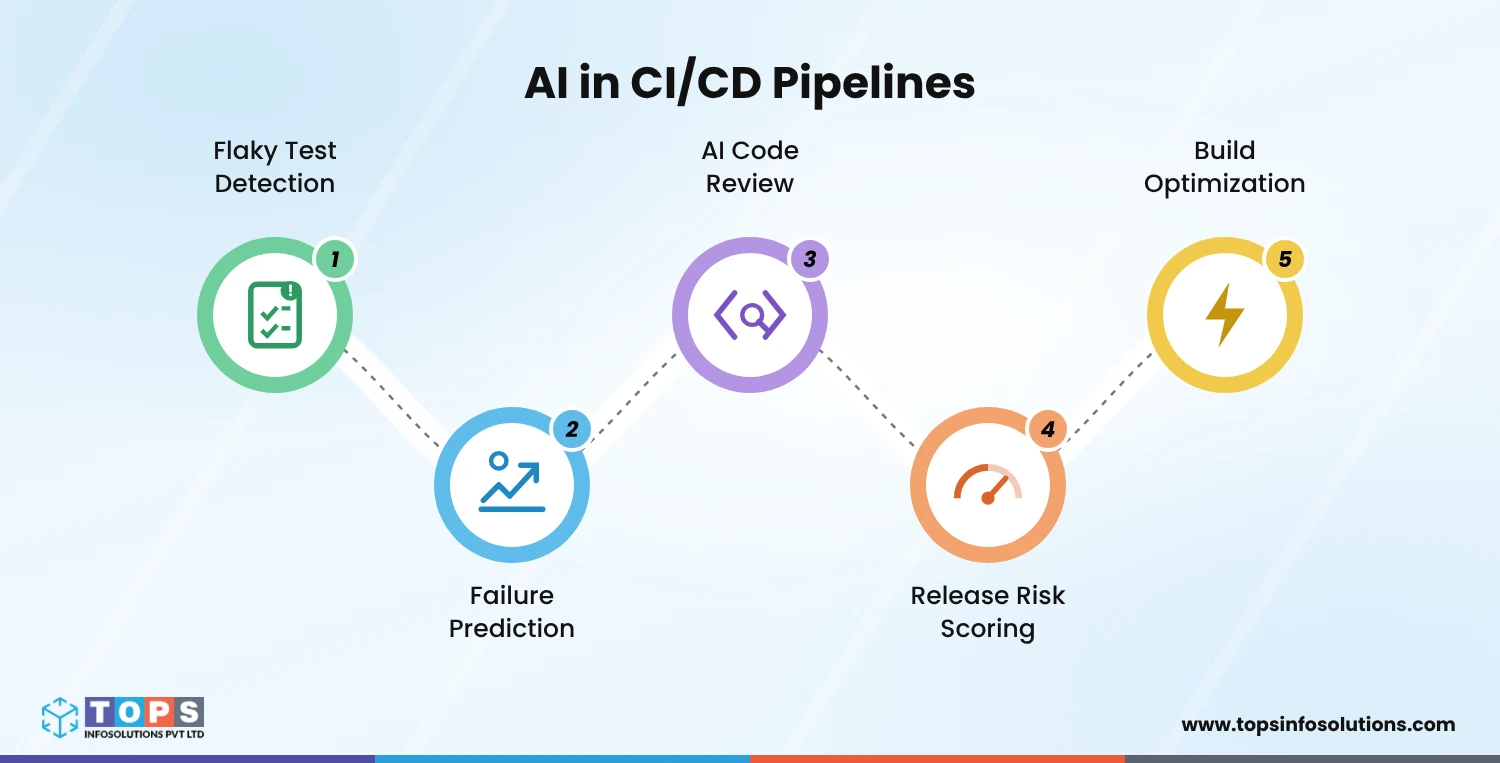
AI in CI/CD helps improve the signals a pipeline produces, not when it replaces the checks. Top five use cases include:
Detecting Flaky Tests and Failure Patterns
Flaky tests pass and fail without any code change, so teams learn to rerun them instead of investigating. AI can analyze historical CI data to tell flaky tests apart from real failures, so unreliable tests can be flagged and quarantined. One caution: never let AI silence a failure automatically. Deterministic failures must still fail the build.
Predicting Build Failures and Prioritizing Tests
Every build leaves a record: which files changed, which tests ran, what failed, and how long it took. AI uses that history to spot patterns, such as a module that breaks more often when certain files change, or a test that fails mostly after dependency updates. Two things become possible:
- Failure prediction: a risk score on each commit or pull request, so likely problems surface before the full pipeline runs.
- Test prioritization: the tests most related to a change run first, so developers hear about a failure sooner. Keep the full suite running before release as the safety net.
The trade-off is that predictions are only as good as your pipeline data. Teams with sparse or inconsistent build history should expect weaker results at first.
AI-Assisted Code Review and Risk Detection
AI reviewers can flag missing error handling, risky dependencies, or exposed secrets before a human opens the pull request. This can be treated as a first pass. A human reviewer should still own the approval, especially for security-sensitive code.
Release Risk Assessment and Change Impact Analysis
By combining change size, files touched, and past incident history, AI can score a release’s risk and identify which services it may affect in a microservice architecture. A high score works best as a routing signal: send the change through extra checks or a manual approval instead of blocking it outright.
Optimizing Build Times and Pipeline Efficiency
Pipeline run data shows where time goes, such as slow stages, repeated work, and idle runners. AI can surface these patterns so teams fix the biggest bottleneck first, instead of tuning by guesswork.
Can AI Handle Incident Response?
Yes, for the investigation. AI in incident response works best when AI gathers the evidence fast, and people make the calls that change production.
Faster Incident Triage and Root Cause Analysis
Much of an incident’s clock goes to context: which alerts are related, what changed recently, and which service is the source. DORA tracks failed deployment recovery time as one of its five core delivery metrics, so faster diagnosis can show up directly in a number many leaders already watch. AI can shorten the diagnosis stage in four ways:
- Group related alerts into one incident instead of dozens of separate pages.
- Surface recent changes, such as deployments and configuration updates, since a recent change is often the first thing to check.
- Pull relevant logs and metrics for the affected services.
- Assemble a timeline and suggest likely causes, ranked by evidence.
The output is a hypothesis for the on-call engineer to confirm, not a verdict. Engineers still decide what to change.
What Agentic SRE Tools Add
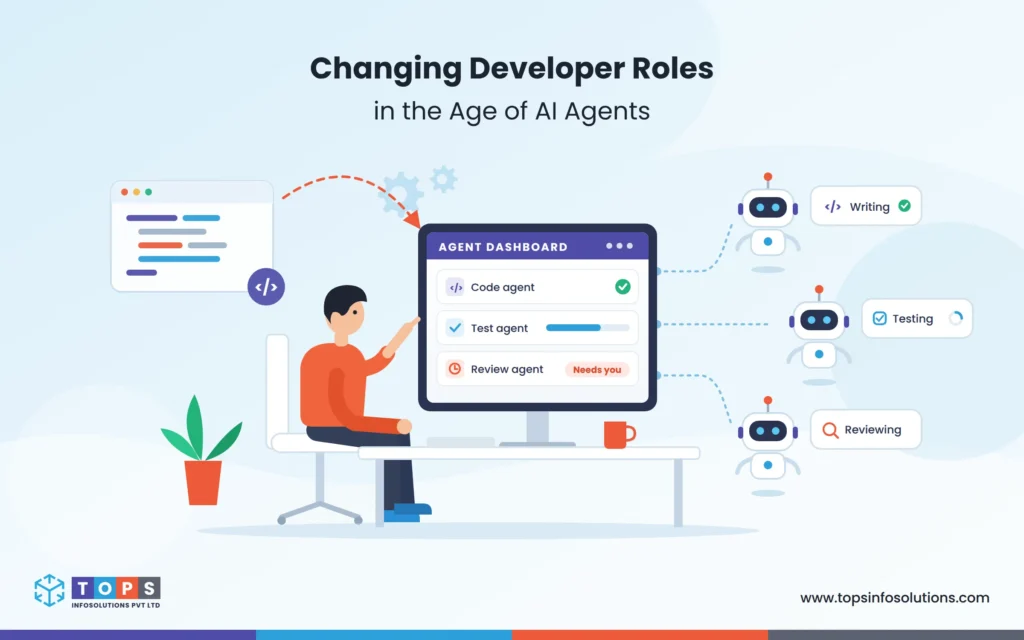
Basic AIOps mainly spots patterns and groups alerts. Agentic SRE tools go a step further: they investigate the incident themselves, test hypotheses against live data, and propose a fix while engineers supervise. Some setups can also carry out the fix.
That reach raises a new question: who is accountable for an action the agent takes? The answer should be set before the tool goes live, through clear limits on what the agent can touch and which actions need human approval.
What to Look for in an Incident Response Tool
When comparing AI incident response tools, a few practical checks matter more than feature lists:
- It works with your existing monitoring and alerting stack.
- It shows the evidence behind every conclusion.
- You can set which actions need human approval.
- It logs every action for audit and rollback.
Is It Safe to Let AI Change Your Infrastructure?
Whether to let AI change your infrastructure depends on how much damage a wrong change can cause and how quickly you can undo it. For AI infrastructure automation, that blast radius should decide how much freedom AI gets.
Infrastructure Tasks That Suit AI
The best candidates for AI-assisted DevOps automation are tasks that are repetitive, low-risk, and easy to reverse, such as:
- Drafting infrastructure-as-code changes for review
- Flagging drift between your code and what is actually running
- Proposing cost or rightsizing fixes in non-production environments
- Suggesting scaling adjustments within preset limits
- Writing and updating runbooks
Changes to networking, databases, access policies, or shared production resources are different. One wrong change there can affect every service, so a person should make that call.
Three Levels of AI Autonomy
| Level | What AI does | Best for |
| Suggest only | Recommends a change, and a person makes it | Production, privileged access, shared infrastructure |
| Approve to execute | Prepares the change, and a person approves before it runs | Routine production changes with a tested rollback |
| Act and audit | Acts alone within strict limits, with every action logged and reviewed | Low-risk, reversible tasks such as non-production cleanup |
Start every task at the first level. Move it up only after it has a clean track record.
Guardrails for Production Changes
Secure DevOps automation needs controls that still work when the AI is wrong:
- Policy-as-code checks that block changes breaking security or compliance rules before deployment.
- Least-privilege access, so the AI can touch only what its task requires.
- Tested rollback for every automated change.
- Audit logs that record what changed, why, and who approved it.
- Change windows and rate limits that cap how much can change at once.
How Do You Add AI to an Existing CI/CD Pipeline?
A sound AIOps implementation adds AI in layers, not all at once. The goal is to improve the pipeline you already run, not rebuild it.
Start With Read-Only Use Cases
Begin where AI can observe and advise but not change anything: flaky test reports, alert grouping, incident summaries, and release risk scores. A mistake here costs a few minutes of review, not an outage. This stage also shows whether your pipeline data is clean enough for AI to learn from.
Expand Through Approval Tiers
Once read-only results prove useful, let AI prepare changes, such as a draft pull request or a proposed rollback, that a person approves. Apply the autonomy levels from the previous section task by task. Keep production changes at the approval level until each one has a clean track record.
Measure Results Before Expanding
Pick a few numbers before you start and track them after each stage. Useful ones include change failure rate, failed deployment recovery time, alert volume per on-call shift, and flaky test rate. If a number does not improve, fix the cause before giving AI more responsibility.
Case Study: Applying AI to an Existing DevOps WorkflowFor one client, TOPS built an AI cost optimization agent to analyze the AWS spend behind their order management system. Cloud bills tend to grow quietly as usage shifts, and manual reviews rarely keep up. The agent works in a read-only role: it studies usage, storage, and internet traffic data, looks for patterns, and flags resources that are larger than the workload needs. Instead of changing anything on its own, the agent suggests right-sized configurations, and the team decides what to apply. That is the pattern described above: AI handles the analysis, and people keep the final call. Because every suggestion rests on observed usage, the team can check it before acting. The result was about a 53% reduction in the client’s AWS bill. Need AI Built Into Your DevOps Pipeline? Hire AI Developers from TOPS |
What Are the Benefits and Risks of AI in DevOps?
AI in DevOps engineering pays off when it targets clear problems and is checked against clear measures. Without those, it adds noise.
What Teams Can Gain
- Less alert noise: related alerts become one incident, so on-call engineers spend less time sorting.
- Faster diagnosis: logs, recent changes, and a timeline are ready when the incident opens.
- More trustworthy pipelines: with flaky tests flagged, a red build means something again.
- Safer releases: risk scores send high-risk changes through extra checks.
- Less repetitive work: triage and drafting tasks shrink, so engineers spend more time on engineering.
Where AI in DevOps Goes Wrong
- Layering AI on a weak pipeline: unreliable tests and messy data produce unreliable output.
- Trusting confident answers: AI can sound certain and be wrong, so every conclusion needs visible evidence.
- Over-broad permissions: an agent with wide access can cause wide damage, and a compromised one becomes a security risk. Check out TOPS’s AI agent security checklist to learn more.
- No rollback or audit trail: if a change cannot be undone or explained, do not automate it.
- No measurement: without a baseline, nobody can tell whether AI helped.
Where Should You Start With AI in DevOps?
The teams enjoying the benefits of AI in DevOps are the ones that are starting small. Start with read-only use cases, add approval tiers for anything that touches production, and measure whether it helps. Whether the goal is AI in CI/CD pipelines, faster incident response, or safer infrastructure automation, the rule holds: let AI handle the evidence and the repetition, and keep people on the critical calls.
That is how TOPS approaches DevOps too. TOPS’s AI development services help teams add AI to the pipelines they already run, with guardrails, rollback, and audit trails built in from day one.
Frequently Asked Questions (FAQs)
AI in DevOps means using machine learning and AI agents to support delivery and operations: flagging flaky tests, grouping alerts, suggesting root causes, and drafting infrastructure changes. AI-powered CI/CD automation adds judgment to scripted workflows, while people keep the critical decisions.
AIOps mainly detects patterns and groups alerts so engineers see clearer signals. Agentic SRE goes further: the AI investigates an incident, tests hypotheses, and proposes or carries out a fix within set limits.
For narrow, reversible problems, yes, within strict limits and with full logging. For anything affecting privileges, availability, or shared infrastructure, AI should suggest and a person should approve. A safer path is to start with AI-assisted diagnosis.
Connect AI to the monitoring, logging, and CI/CD data you already have, and begin with read-only use cases such as alert grouping and incident summaries. Add approval-based actions once results are measured.
Changes to access policies, networking, databases, and shared production infrastructure, plus any action that cannot be reversed quickly. Risk decisions and major incident rollbacks also belong with people.
Choose AI DevOps tools that fit your current stack, show the evidence behind each conclusion, let you set approval rules, and log every action. The best AI DevOps tools for your team meet those checks at your risk level, not the longest feature list.