
































Quick Summary
-
- Agentic AI in HR goes beyond automation; agents reason through context and make decisions, not just execute fixed rules
- Highest-value use cases: recruiting, onboarding, HR helpdesk, benefits support, and performance/engagement signals.
- Best results come from keeping humans in the loop on high-stakes decisions, scoping access tightly, and redesigning workflows rather than automating broken ones.
- Build vs. buy depends on system complexity: off-the-shelf works for single-HRIS teams, custom builds fit multi-system, non-standard workflows.
- Gartner projects 50% of HR activities will be AI-driven by 2030, making this a now, not later, decision.
On a typical Tuesday, your HR team is probably dealing with tons of new hires, unread messages, and resume screening for a role that opened a few weeks ago.
None of this is strategic work, but it eats up all day.
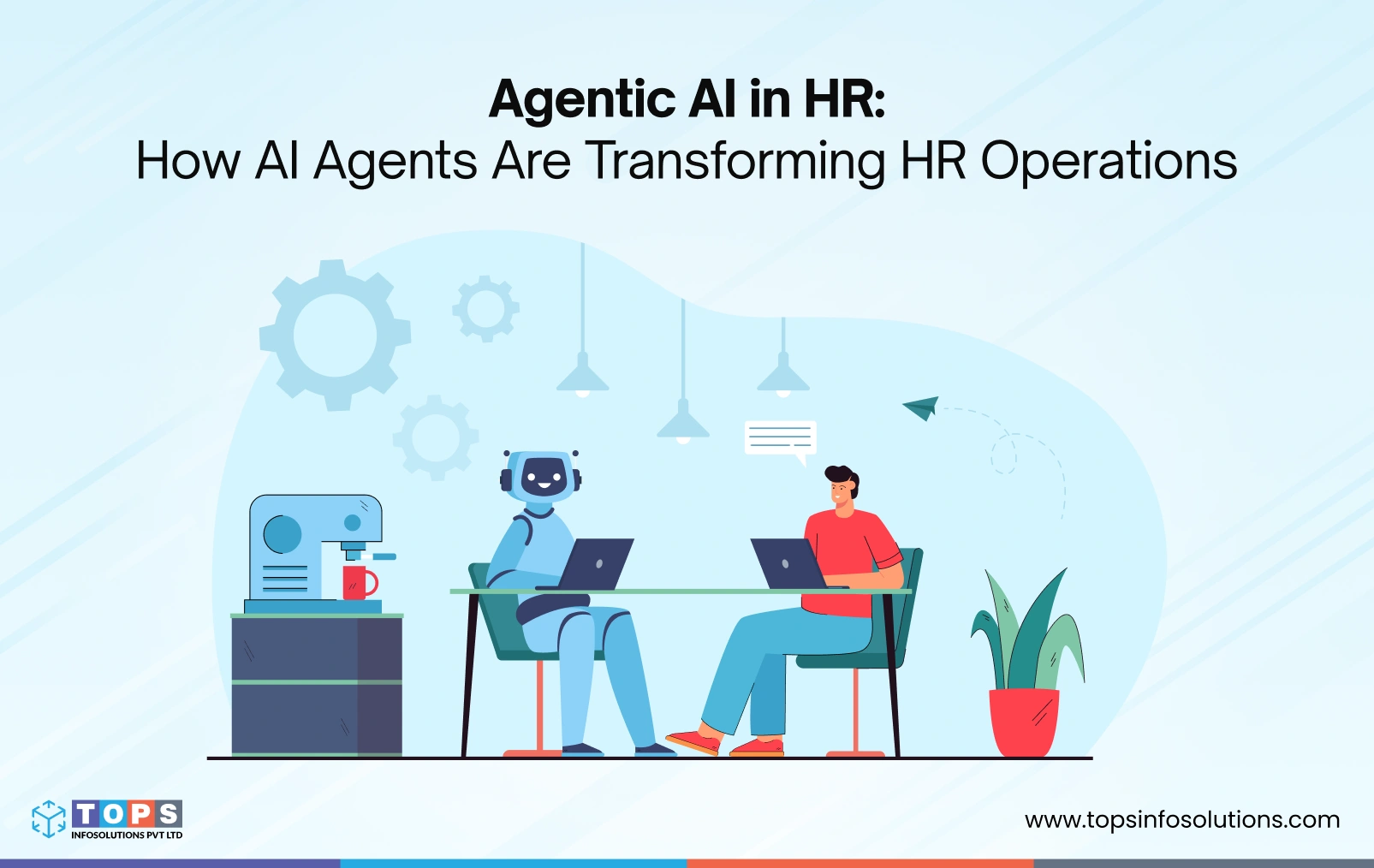
This is where agentic AI in HR is proving its worth.
The industry is now implementing a lot more than simple rule-based chatbots. Teams are adopting agentic AI systems that understand a request, check the right systems, decide what to do, and act. It escalates only when it hits something that genuinely needs a person’s judgment.
The result of agentic AI isn’t a smaller HR team. It’s an HR team that spends its time on people, not tickets. Here’s what that looks like in practice.
What Is Agentic AI in HR?
Agentic AI in HR is when an AI agent is given an end goal to finish an HR task, instead of a script. It then figures out the steps itself: check the employee record, cross-reference the policy, decide what applies, then act.
HR work rarely fits into one clean if-this-then-that rule. A leave request depends on tenure, location, accrued balance, and manager approval, four separate lookups that a rules engine handles as four separate automations.
A well-built agent handles it as one interaction: gathering what it needs, making the call, or flagging it for a person when the situation falls outside its guardrails.
What Can an AI Agent Actually Do in HR?
In practice, an HR agent can:
- Pull a candidate’s resume, score it against the role, and schedule a screening call without a recruiter touching the calendar.
- Provision a new hire’s laptop, system access, and welcome documents the moment a start date is confirmed.
- Answer a benefits question by checking the actual policy document and the employee’s specific plan, not a generic FAQ.
- Route an escalated grievance to the right person with full context already attached.
What separates this from a script is judgment within limits. Some of these tasks need only one agent working across a couple of systems. Others, like a workflow spanning recruiting, IT, and payroll at once, need multiple agents coordinating with each other, which is where the distinction between a single-agent and multi-agent setup actually matters.
Agentic AI vs. Traditional HR Automation
The easiest way to tell agentic AI and traditional HR automation apart is that automation follows a path; agents choose one.
A traditional automation might send a Slack message when a new hire’s start date is added to the HRIS. That’s the whole rule.
An agent handling the same event checks whether IT equipment has already been ordered, confirms the manager has approved the offer, drafts the onboarding checklist based on the employee’s role and location, and only then notifies the right people, adjusting if any step is missing.
That’s the practical difference: less rule-writing upfront, more reasoning at runtime, and a system that handles exceptions instead of breaking on them.
Why HR Operations Are a Strong Use Case for Agentic AI
HR sits at the intersection of high volume and high stakes. There are dozens of routine requests, but each one involves sensitive data and a real person’s experience. The repetitiveness is where agentic AI helps the most.
It’s also why AI in HR operations is moving faster than in most other back-office functions. The ROI shows up in weeks, not quarters, once a workflow is properly scoped and built around your actual systems, which is the kind of scoping work HR software development services typically lead with.
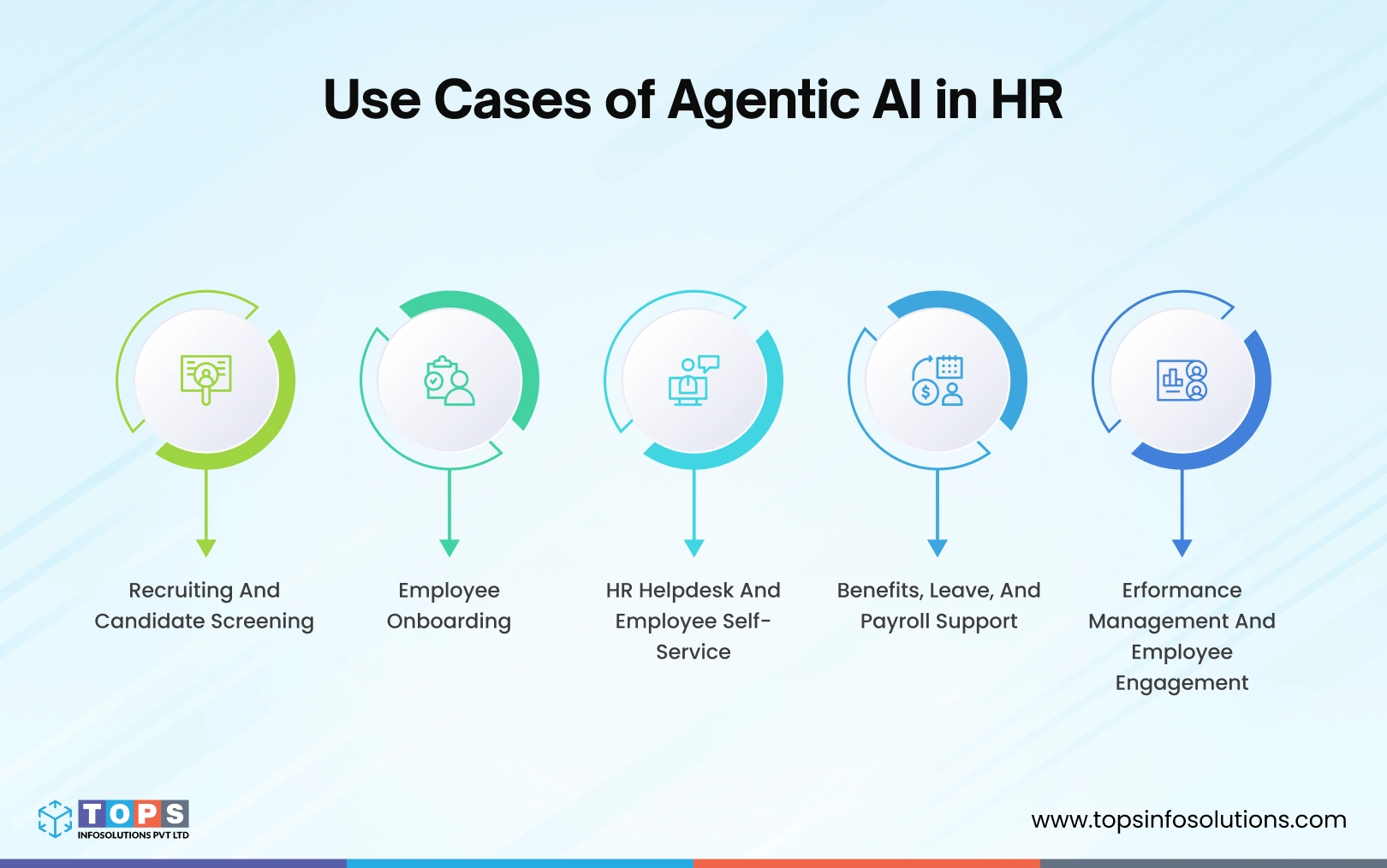
Recruiting and Candidate Screening
An HR agent screens resumes against role requirements, ranks candidates, and schedules first-round interviews without a recruiter opening a single email. You can train it to cross-reference the job description, candidate history, and interviewer availability. Connecting it reliably across your ATS, calendar and email is where AI development services do the real work.
Employee Onboarding
For every new hire, HR teams deal with IT, facilities, payroll, hiring manager, all on a deadline. An AI agent employee onboarding workflow triggers equipment provisioning, system access, and a role-specific welcome checklist the moment a start date is confirmed. It then checks that every step was actually completed instead of assuming it was. Day one goes according to a schedule, instead of the team scrambling to check what’s missing.
HR Helpdesk and Employee Self-Service
Most employee questions repeat: leave balances, benefits enrollment windows, expense policy. An agent trained on your actual policy documents answers these directly, correctly, and instantly, instead of routing them into a ticket queue. This is where AI agents cut ticket volume fastest, because the questions were never complex, just numerous.
Benefits, Leave, and Payroll Support
Leave and benefits decisions rarely come down to one factor. An agent checks the relevant policy details in context, approves what’s clearly within policy, and escalates anything ambiguous, like a leave request that overlaps a blackout period, to the right person with the reasoning already attached.
Performance Management and Employee Engagement
Agents can also support less transactional work. This can include surfacing engagement survey trends, flagging teams with rising attrition risk, or drafting review cycle reminders based on each manager’s actual timeline. This is less about completing tasks and more about giving HR leaders a clearer, earlier signal on where the team needs attention.
What are the Best Practices for Implementing Agentic AI in HR?
To get the best of agentic AI in human resources, you need to scope it carefully. These five practices separate a pilot that scales from one that quietly stalls.
Keep Humans in the Loop for High-Impact Decisions
The idea isn’t to have agentic AI eliminate humans. Terminations, grievances, and compensation changes should never be fully automated. The agent’s job here is to prepare, gather context, draft options, surface relevant policy, and hand the actual decision to a person. This boundary is what makes agentic AI HR automation trustworthy to employees and defensible to leadership.
Give Agents Limited, Role-Based Access
An agent should only see and act on what its specific task requires, not your entire HR data set. With proper role-based permissions, you can control the agent and make the system easier to audit. Review it against an AI Agent Security Checklist before launch.
Integrate With Your HRIS and Core Systems
Your agent can run limited tasks on its own. Integrate it with other systems, and it can reach new heights. Integrate your AI agent with your HRIS, Applicant Tracking System, and payroll platform. They’re often backed by RAG-powered AI pulling from your real policy documents.
This lets it answer queries accurately instead of generically. Shallow integration is the most common reason AI in HR operations pilots underdeliver.
Redesign the Workflow, Don’t Just Automate the Old One
Bolting an agent onto a broken process just makes the broken process faster. The workflow itself like who approves what, in what order, with what exceptions- needs a fresh look before an agent touches it. This is where HR process automation with AI actually pays off, not in speeding up steps that shouldn’t exist.
Tie Every Agent to a Business Outcome
Every agent should map to a measurable result: hours saved per week, faster time-to-hire, fewer escalated tickets. Without that tie, it’s hard to know if an agentic AI workforce initiative is working or just running. Track it from week one.
How an AI Agent Handles an HR Workflow
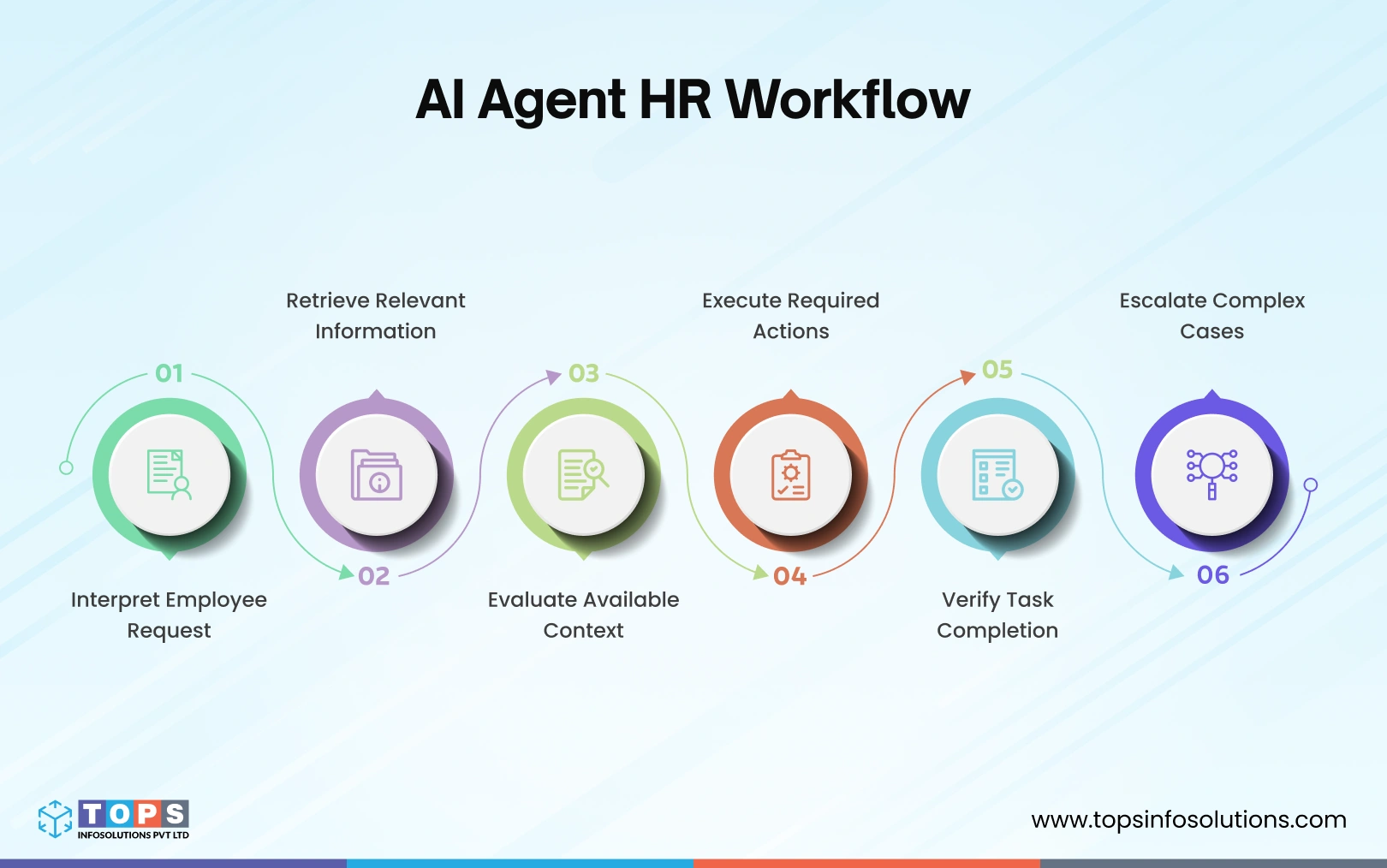
Here’s what actually happens behind a single employee request: whether it’s a leave application or an onboarding trigger, from the moment it lands to the moment it’s resolved.
1. Understands the Employee Request
The agent parses what’s actually being asked. It doesn’t just look at keywords. It distinguishes a leave balance question from a leave request that needs approval.
2. Gathers the Right Information
The AI agent pulls relevant data from the HRIS, policy documents, and any other connected system. It builds the full context before deciding anything.
3. Makes a Decision Based on Context
Using that context, it determines the correct next step, whether that’s auto-approving a routine request or routing an exception to a manager.
4. Takes Action Across HR Systems
This is where the HR AI agent executes. It updates records, triggers approvals, provisions access, sends confirmations, and connects agents to business platforms rather than leaving the employee to chase each system separately.
5. Checks the Outcome and Handles Exceptions
The agent confirms that the action has been completed and catches anything that fails, such as a system that did not sync, before it becomes a downstream problem.
6. Keeps a Human in the Loop
The agent escalates anything ambiguous, high-stakes, or outside its guardrails with full context, so the decision-maker does not have to start from zero.
Build vs. Buy: How to Implement Agentic AI in HR
Most HR leaders researching this land on one option: buy a platform. That works for some teams. It’s the wrong call for others. The right answer depends on how many systems the agent needs to touch, how standard your workflows already are, and how much control you need over how it reasons.
When an Off-the-Shelf HR AI Platform Makes Sense
If your HR stack runs on a single core HRIS, your workflows are fairly standard, and you need something running in weeks, a packaged tool gets there fastest. The tradeoff is real: you’re working within someone else’s logic, with limited ability to change how the agent reasons or where it can act as your needs evolve.
When to Build a Custom AI Agent
If your HR stack spans separate systems, HRIS, ATS, payroll, ticketing, or your approval logic doesn’t fit a standard template, a custom-built agent outperforms a bolt-on feature.
This is where a purpose-built agent, often a multi-agent setup, integrates directly with your actual systems instead of forcing your workflow into a vendor’s predefined one- exactly the kind of build agentic AI development services exist for. Teams without in-house AI capacity typically hire dedicated AI developers for exactly this kind of build.
Build vs. Buy: Questions to Ask
Before reaching a decision, consider the following questions:
- How many separate systems does this workflow need to touch?
- How clean and centralized is our HR data today?
- Do we have someone internally who can own ongoing governance?
- What happens when we outgrow the platform’s built-in logic?
- Does this need to integrate with tools a generic platform doesn’t support?
Why Choose TOPS For Building AI Agents for HR
TOPS builds custom agentic AI for HR operations that fits tailored HR workflows around your actual HRIS, ATS, and payroll systems.
Systems-first builds: Agents integrated directly with your HRIS, ATS, and payroll, not a vendor’s predefined workflow
Architecture matched to complexity: Single-agent or multi-agent, decided by what the workflow actually requires
Cross-functional AI experience: The same applied AI services and agentic AI development work we’ve applied to CRM, finance, and ops builds
Practical, not enterprise-only: Implementations built for real operational constraints, not enterprise-scale tooling.
Future of Agentic AI in HR Operations
Gartner forecasts that by 2030, 50% of current HR activities will be automated or performed by AI agents, fundamentally reshaping HR’s operating model.
That shift won’t happen through a single company-wide rollout. It happens the way most of this piece has described: one workflow at a time, scoped carefully, with humans still owning the decisions that need judgment.
The next phase looks less like isolated agents bolted onto individual tasks and more like a multi-agent system coordinated together. As maturity grows, the conversation shifts from “can this task be automated?” to “how much autonomy should this decision have?” That is a governance question as much as a technical one.
Frequently Asked Questions (FAQs)
Agentic AI differs from traditional HR automation because it can reason through a goal, use context, and adapt to exceptions instead of following only predefined rules.
Start with high-volume, well-documented processes: benefits questions, leave requests, and onboarding checklists. These involve clear policy logic and low ambiguity, making them the fastest path to proving ROI before expanding agentic AI for HR operations into more complex workflows.
No, and it shouldn’t. These decisions stay with a person. An agent’s role here is preparation, gathering context, surfacing relevant policy, drafting options, not making the final call on anything involving termination, compensation, or a formal grievance.
No. Well-built agents integrate with your existing HRIS, ATS, and payroll systems rather than replacing them. The agent acts as a layer that reasons across those systems, which is usually faster and less disruptive than a platform migration.
It starts with a workflow audit to identify where reasoning and system access actually add value, followed by AI agent integration with your core HR systems, defined guardrails for what the agent can act on independently, and a pilot phase before wider rollout.
It can be, with the right design: role-based access limiting what each agent can see, audit trails on every action, and human review built into any decision involving sensitive employee data. The risk isn’t the technology; it’s skipping those guardrails.
Only what’s scoped to their specific task, not your full HR data set by default. A well-designed agent handling leave requests, for example, sees leave and tenure data, not compensation history or performance reviews, unless that access is explicitly required.
It depends on your systems. A single-HRIS, standardized-workflow team can move faster with a packaged platform. Teams with multiple disconnected systems or non-standard approval logic usually get more value from a custom-built agent scoped to their actual processes.