







































Quick Summary
Claude Code skills work best on our team in two places: work that repeats, and rules a whole project has to follow.
- Our developers use Claude Code skills mostly for repetitive work, such as reading tickets, summarizing tasks and collecting data.
- The bigger gain is shared: one standard skill per project keeps every developer on the same conventions.
- Security protocols written into a skill apply the same way to senior and junior developers, which makes them easier to monitor.
- Our developers report regular tasks taking 60–70% less time, and repetitive ones up to 80% less.
- Skill output still gets tested, and skills need re-testing when the Claude model changes.
If you’re writing the same prompt again and again, it’s a sign that that particular task should be a skill instead.
That’s how our developers discovered they needed to use Claude Code skills. While they were using Claude Code to automate their task, writing the same prompts every time was more daunting.
Today, skills mostly handle the repetitive work. Our teams are also turning them into a shared standard for each project, so everyone works from the same instructions.
This post walks through Claude Code skills examples from our own team and from teams that have published how they work. It covers what changed in our delivery, and the two problems we’re still managing: testing what skills produce, and keeping skills reliable when the model changes.
What Is a Claude Code Skill?
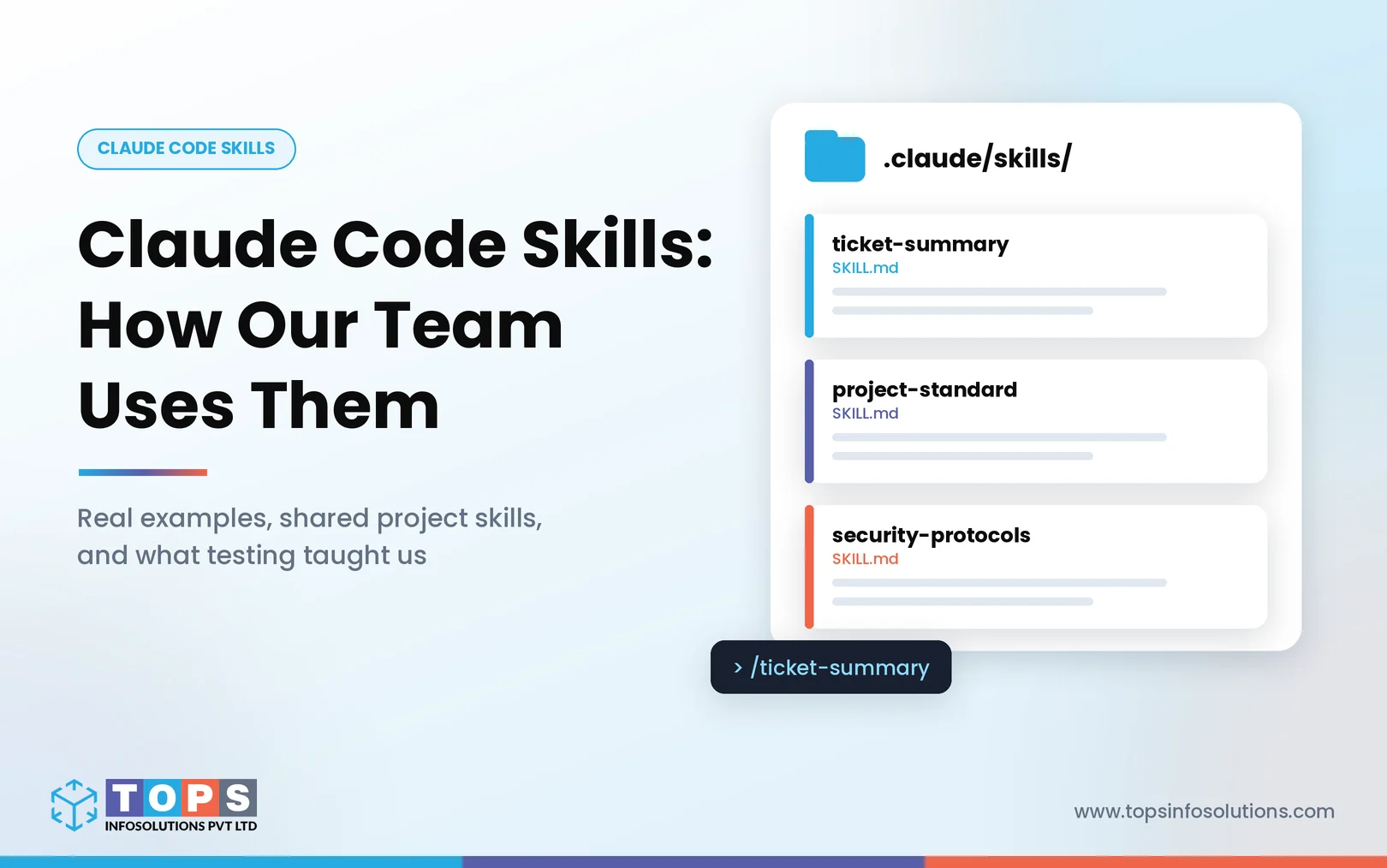
A Claude Code skill is a folder that holds a SKILL.md file of instructions. Claude Code skills follow the open Agent Skills standard, so the same format works across multiple AI tools. The file opens with a short block of settings. You can also run a skill yourself by typing its name as a slash command, such as /ticket-summary. According to the Claude Code skills documentation, skills can live in your personal folder, inside a project’s repository, or in a plugin.
Why a Skill is Better than Repetitive Prompting
A saved prompt sits in a notes file until someone remembers to paste it. A skill sits where Claude can find it. Claude keeps only each skill’s description in context and loads the full instructions when a task calls for them. Supporting files, such as reference docs or scripts, load only when the skill points to them. That makes a large set of skills cheap to keep around. And because a project skill is a file in the repository, it gets versioned and reviewed like code.
Skills, CLAUDE.md and MCP: Which Does What?
- CLAUDE.md holds facts Claude should know in every session, and Claude Code loads it at the start of each one. The memory documentation suggests moving multi-step procedures out of it and into a skill. We covered CLAUDE.md in our guide to maintaining vibe-coded software.
- Skills hold procedures and load when you invoke them or when Claude decides they’re relevant.
- MCP (Model Context Protocol) connects Claude to outside systems such as ticket trackers and databases. Our MCP guide explains how.
What Do Teams Use Claude Code Skills For?
Here are five Claude Code skills examples: ticket summaries and data mining from our team, plus code review, testing, and boilerplate from teams that have published their setups.
Reading Tickets and Summarizing Tasks
One of our developers uses a skill to read tickets and turn them into task summaries. He relies on it heavily, and it shows why skills suit repetitive work. A useful task summary has the same parts every time, such as the goal, the areas affected, and the open questions. Only the ticket changes. Written once as a skill, the format holds on every ticket, whoever runs it.
Here’s a simplified version of what a ticket-summary skill can look like:
---
name: ticket-summary
description: Summarize a ticket into a short task brief. Use when someone shares a ticket ID, link or pasted ticket text and asks what needs to be done.
---
Summarize the ticket in $ARGUMENTS using this structure:

1. Goal: one sentence on what the ticket asks for.
2. Areas affected: the files, modules or services likely to change.
3. Open questions: anything unclear or missing.
4. First step: the smallest useful change to start with.
Gotchas:
- If the ticket has no acceptance criteria, list that as an open question. Don't invent criteria.
- This summary is a draft. A developer checks it before work starts.
Data Mining
Our developers also use skills for data mining, which means collecting information and putting it into a usable structure for analysis. The steps repeat on every run: which sources to use, which fields to extract, and how to format the output. A skill holds those steps so nobody has to explain them again.
A data mining skill should also respect each source’s terms of use and treat collected data as untrusted, since fetched content can contain malicious instructions.
Code Review Against Project Standards
Anthropic groups part of its internal skills under code quality and review. One example from its post on how the Claude Code team uses skills is a code-style skill that enforces styles Claude doesn’t follow well by default. A review skill holds the team’s checklist, so every pull request gets checked against the same list rather than against whoever reviews it that day.
Testing and Checking Output
Another group is product verification: skills that describe how to test that code actually works, often with tools such as Playwright. Anthropic says verification skills have had the most measurable impact on output quality, and suggests giving them focused engineering time. We come back to testing below, because it’s also one of our main challenges.
Boilerplate for New Components
A third group is code scaffolding: skills that generate the standard starting code for common components in a framework. Instead of copying an old file and deleting what doesn’t fit, a developer runs the skill and starts from the project’s own pattern. The work is repetitive by definition, which is why it fits a skill.
Why Do Shared Project Skills Matter More Than Personal Ones?
Personal skills save one developer time. Shared skills change how a team works, and for us that’s the main benefit.
One Standard Skill per Project
Our teams are preparing a standard skill for each project. It holds what every developer on that project needs to follow, so nobody works from a private set of instructions. Project skills live in the repository’s .claude/skills folder, and committing one shares it with the whole team. When the skill changes, the update travels through the repository like any other code change.
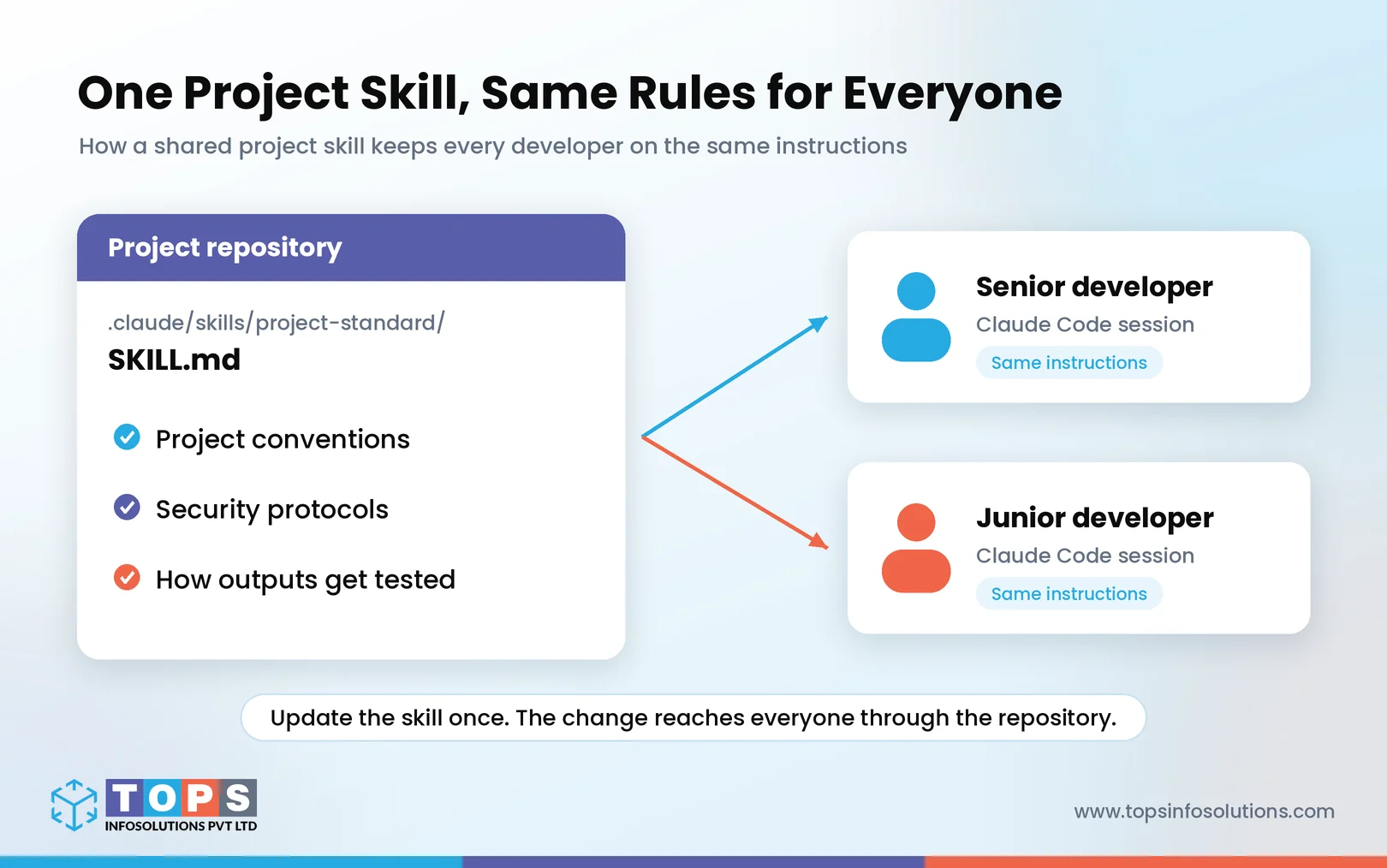
Senior and Junior Developers Follow the Same Protocols
A senior developer knows a project’s rules from experience. A junior developer is still learning them. With a project skill, Claude works from the same written protocol in both cases. That doesn’t replace experience. It removes one source of inconsistency: how much of the rulebook a person remembers.
Security That’s Easier to Monitor
Security works the same way. When protocols live in a skill, everyone on the project knows them, whether they’re senior or junior, and checking that they’re followed starts with one file. Two checks from Anthropic’s documentation belong in that routine. First, review the allowed-tools setting and any shell commands in a skill committed to a repository before running Claude Code there, since allowed-tools pre-approves those tools. Second, use skills only from trusted sources: ones you wrote yourself or got from Anthropic. For the wider picture, see our agent security checklist.
How Other Teams Share Skills at Scale
Larger teams have taken the same idea further. Anthropic’s Claude Code team describes small teams checking skills into a repository, and larger ones moving to a plugin marketplace where people choose what to install.
Fin’s engineering team reports that its Claude Code plugins repo became its most actively contributed-to project within three months, with 153 contributors and 267 skills. AutoScout24’s engineers built an internal marketplace in the Claude Code plugin format, so engineers can find, install and update shared skills in one place.
What Changed in Our Delivery?
Skills changed two things in our delivery: how long routine work takes, and how consistently a team works on client projects. Here’s what our developers report on both.
Time Saved on Regular and Repetitive Work
Our developers report that regular tasks now take 60–70% less time than they did before Skills. For repetitive work, they put the reduction at up to 80%. These are the team’s own estimates from day-to-day use, not results from a timed study. Treat these figures as a direction rather than a benchmark.
The gap between the two figures makes sense. Repetitive work has fixed steps, so a skill can carry most of it. Regular tasks mix fixed steps with judgment, and judgment still takes a person’s time. If you want your own numbers, time a few tasks before and after writing the skill.
Using Skills on Client Projects
The team uses Claude Code extensively on client projects, and delivery has been smooth. We think the shared project skill is a large part of why. Developers join a client project at different points. When the project’s conventions and protocols sit in one skill, each of them starts from the same instructions, and less depends on what one person remembers.
If you’re bringing in outside developers who use Claude Code, ask to see how they set up project skills. It tells you more about how they work than a list of tools. Our Claude Code developers work this way on client teams.
What Goes Wrong With Skills, and How Do We Handle It?
Three things go wrong most often: output that hasn’t been tested, people who skip the test step, and model changes that alter how a skill behaves.
Output Still Has to Be Tested
A skill makes output consistent. It doesn’t make it correct. Our developers test what skills produce, and testing keeps turning up things a skill didn’t cover. That’s how the skills improve: the team refines them based on what testing and day-to-day use show. Anthropic describes the same loop. Most of its best skills started as a few lines and a single gotcha, then grew as Claude hit new edge cases. It calls the gotchas section the highest-signal part of a skill.
When One Person Skips the Test Step
The harder problem is people, not tooling. If even one team member doesn’t know a skill’s output needs testing, they can treat a first draft as the final version. The output looks finished, which makes the mistake easy to make.
Our answer is plain: clear communication and keeping everyone in the loop. Everyone who uses a shared skill should know which outputs are drafts and who checks them. The skill can help by stating that in its own instructions.
A New Model Can Change How a Skill Behaves
A skill that works well on the current Claude Code model won’t necessarily behave the same way on a newer one. Skills add to a model, so their effectiveness depends on the model underneath, and a skill may need more detail for one model and less for another. Anthropic’s advice is to test skills with every model you plan to use, and Claude Code now has tools for it.
For skills shipped in a plugin, claude plugin eval runs realistic prompts with and without the plugin, grades the results, and compares them against a no-plugin baseline. The skill-creator plugin runs a similar loop with its own test cases and writes a benchmark you can compare against. When a new model ships, you rerun the same cases and see what changed.
In practice, treat a model update like a dependency update. Run your test cases, or a few real tasks, through each shared skill, compare the output with earlier results, and adjust. A skill can also set its own model in its settings, but that only applies to the turn that runs the skill. Your session’s model takes over again with the next prompt, so it doesn’t lock the skill to one model.
How Should a Team Start With Claude Code Skills?
- Pick one repetitive task you explain to Claude more than once.
- Start small. A few lines and one gotcha are enough for a first version.
- Test it on real work before anyone else uses it.
- Commit it to the project repository so the team shares one version.
- Write the project’s security protocols into it.
- Tell the whole team which outputs are drafts and how they get tested.
- Re-test shared skills after every model update.
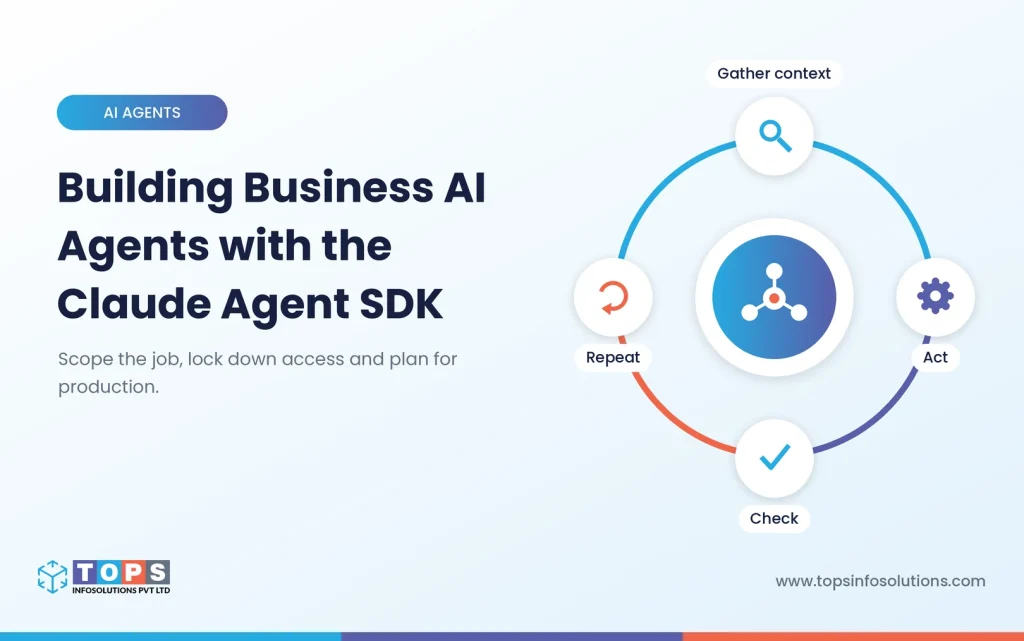
When skills start reaching into business systems, MCP servers and the Claude Agent SDK are the next steps. We cover both in how we built MCP servers for AI agents and building business AI agents with the Claude Agent SDK.
Conclusion
On our team, skills earn their place in two situations: work that repeats, and rules that a whole project has to follow. The time savings come from the first. The consistency comes from the second. Neither removes the need to test output, keep everyone informed, and re-check skills when the model changes.
TOPS is Certified in the Claude Partner Network, and our developers use Claude Code on client delivery. If you want that discipline on your project, see our agentic AI services or talk to us about adding Claude Code developers to your team.
Frequently Asked Questions (FAQs)
They can be, if you control where skills come from and what they’re allowed to do. Anthropic advises using only skills you wrote or got from Anthropic, and auditing any others before use. Review the allowed-tools setting and shell commands in any skill committed to a repository, and keep security protocols in the project’s shared skill.
Not always. A skill adds instructions to a model, so a change in the model can change the result. Anthropic recommends testing skills with every model you plan to use. After an update, run a few real tasks through each shared skill, compare the output, and adjust the instructions where results drift.
CLAUDE.md holds facts Claude should know in every session, and Claude Code loads it at the start of each one. A skill holds a procedure and loads only when it’s invoked or relevant to the task. Anthropic suggests moving multi-step procedures out of CLAUDE.md and into skills.
The simplest route is to commit the skill to the project repository under .claude/skills. Everyone working in that repository then gets the same version. Larger teams often move to a plugin marketplace, where developers choose which skills to install and get updates from one place.
Start with work that repeats and has a predictable shape: summarizing tickets, collecting data, preparing reviews or generating boilerplate. If you explain the same steps to Claude more than once, that task is a candidate. Keep the first version short and add to it as testing shows what it misses.
No. A review skill makes reviews more consistent by checking every change against the same list, but a person still decides what ships. Skill output can look finished before it’s correct, which is a reason to keep human review in place.